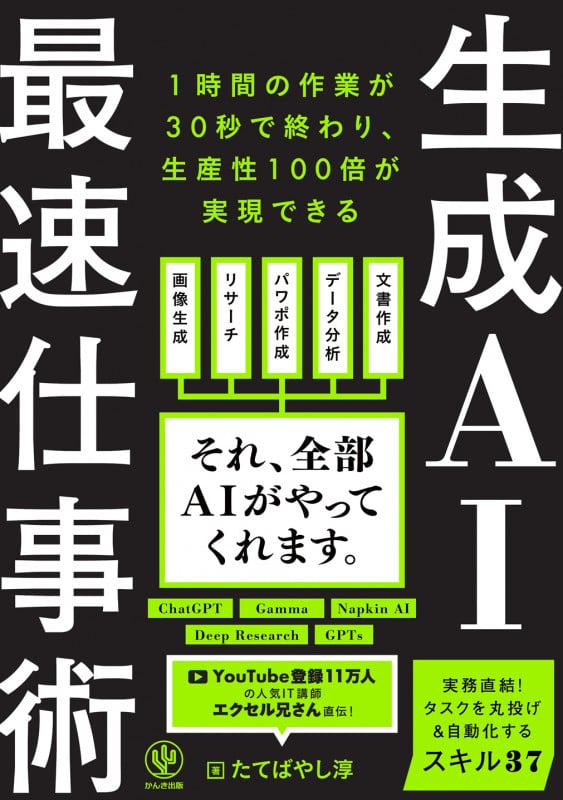
・There are various generative AI tools, and there are gamma; slide creation, visualization; illustration generation, deep research; research automation, GPTS; business bot transformation (p3)
・The fact that instructions and detailed instructions are mixed is a bad prompt, and the fact that information such as purposes and conditions are clearly divided is a good prompt, and the structure makes it easy for AI to understand and return results in line with the purpose (p15)
・There is “Clipy” as a free tool for storing scripts (p33) and there is also an application called copy-and-paste (p34)
・By giving instructions for the #fixed part and #variable part, ChatGPT itself will think of prompts divided into sections for the fixed part and the variable part, and the same work can be executed with only one instruction from the next time (p36)
・Meeting minutes can be created in one shot by simply uploading a transcript, and write prompts divided into #conditions (fixed part) and #meeting content (variable part) (p71)
・Read a Word file, have ChatGPT summarize/restructure the document, and describe the conversion destination and desired format as #instruction content (variable part) (p77)
・After making an outline with ChatGPT, you can smoothly create presentation materials by starting Gamma and “pasting text” (p103) There is “Insil” as the first slide creation service in Japan (p106)
・There is a convenient fixed prompt for making ChatGPT summarize long sentences, and this is also a prompt written by dividing it into #conditions (fixed part) and #text (variable part) (p172)
・When organizing long sentences to the main points, 1) arrange them in bullet points as # conditions (fixed part), 2) list technical terms and numbers without omitting them, 3) specify the number of lines, and characters may be difficult (p172)
・When summarizing an English document, 1) present a title and a summary of about 3 lines as # conditions (fixed part), 2) list points in bullet points, and 3) add headings to explain in detail (p181)
・ GPTS, which can create illustrations called “Show Me,” generates mind maps (P216) There is “Mapify” as a paid version (P217)
・When setting a memory, simply explicitly request “save 00 in memory” on the chat (p241) registration to the memory is completed (p241), and when selecting manage memory in the settings, personalization, and memory items, a list of saved memories is displayed (p244)